
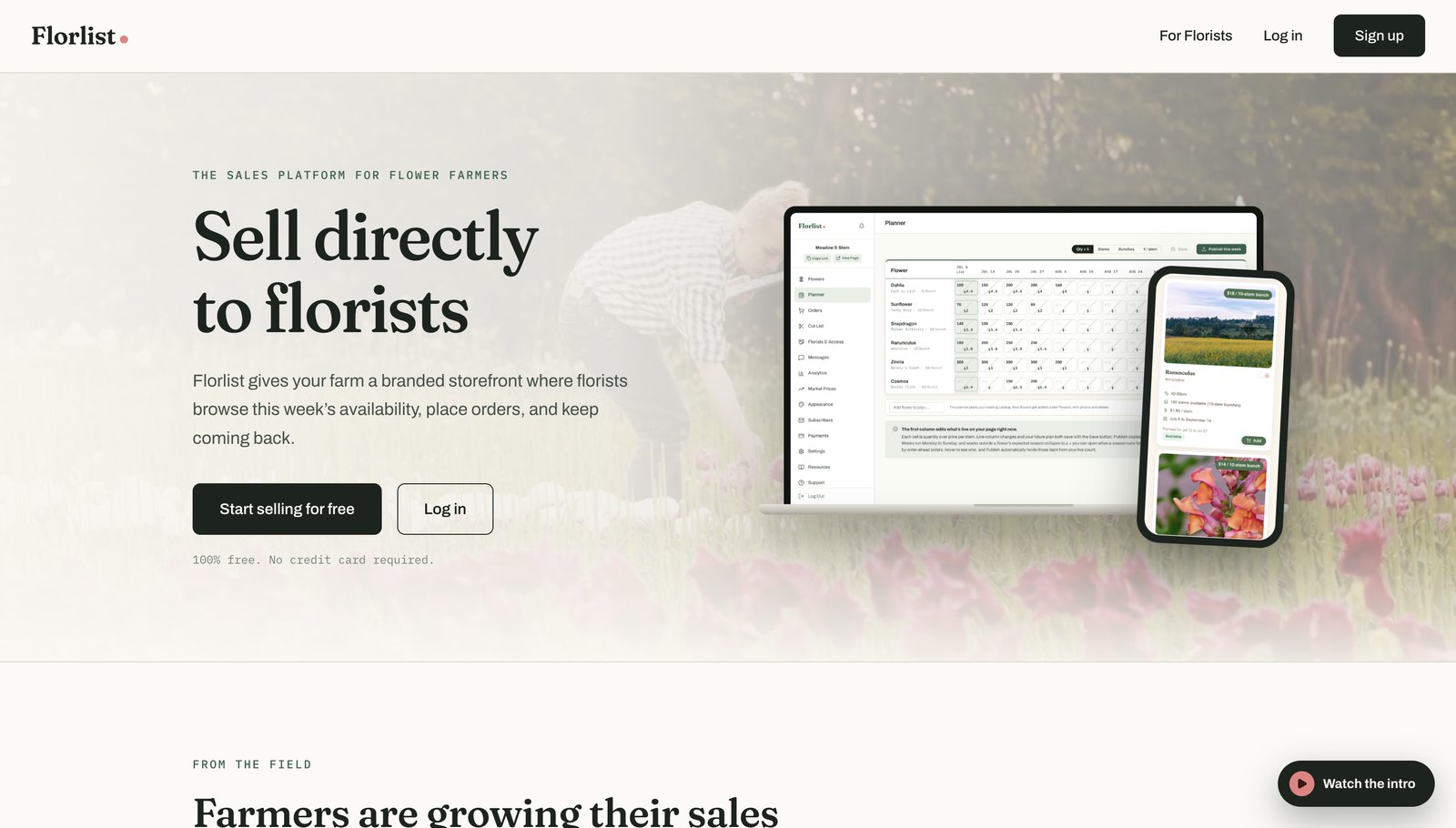
If you read our original guide to creating a free availability list for florists, you already know the pitch: florists are the best wholesale customers a small flower farm can have, and a clean availability list is how you win them. What’s changed since then? Just about everything. Florlist has been rebuilt from the ground up. It’s grown from a simple availability list into a complete sales platform for flower farms, and it’s still free.
First, a quick refresher: why sell to florists?
Making money as a small-scale flower farmer is hard. Grocery-store bouquets and rising costs make it tough to win end-customers one bouquet at a time. Florists are different — they have consistent weekly demand, they understand exactly why local stems are worth more (vase life, unique varieties, zero airfreight), and once you’re their farm, they keep coming back.
The classic way to serve them is the weekly availability list: an email, a spreadsheet, maybe a laminated page at the market stall. It works, but it’s a lot of copying, pasting, and “sorry, that sold out yesterday.”
That’s the job Florlist was built to do.
And the new Florlist does a great deal more.
Your farm’s storefront
Every farm on Florlist gets its own professional storefront at yourfarm.florlist.com — your logo, your photos, your story. The new version adds full theming: three designer themes (to start), palette presets or fully custom colours, adjustable layouts, and even logo placement options. Your page can genuinely look like your farm, not a template.
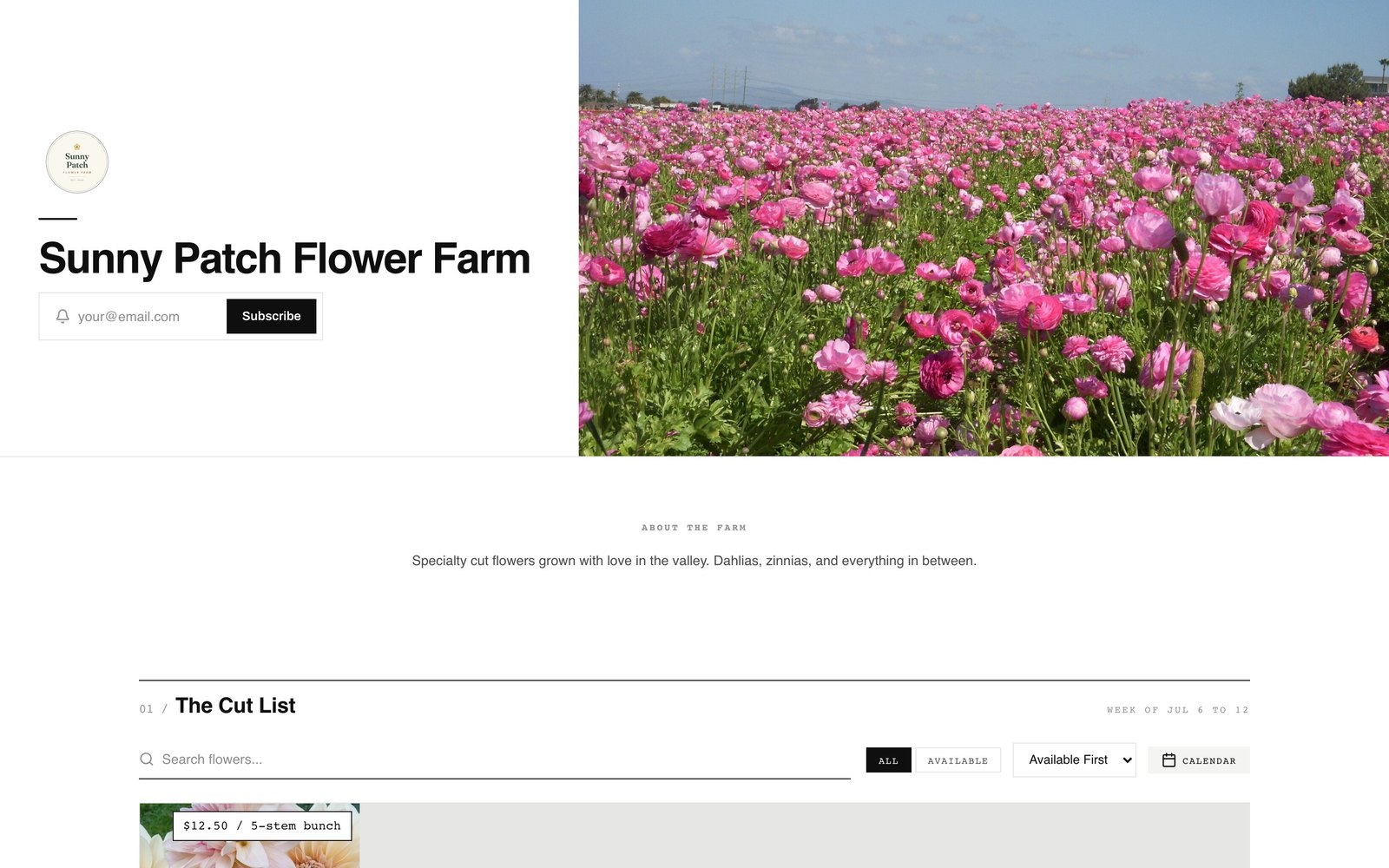
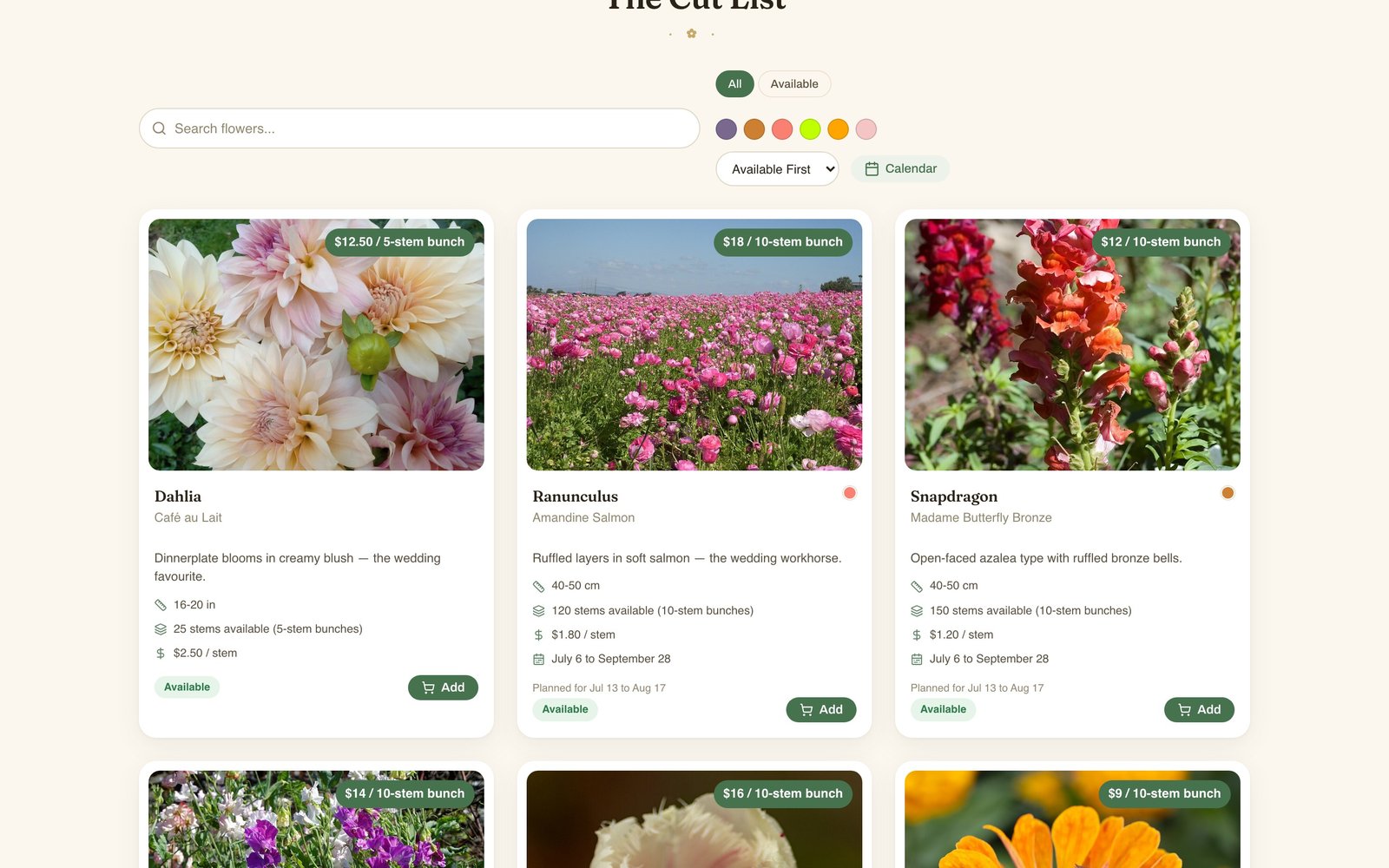
The cut list itself does the selling: photos, varieties, colours, stem lengths, per-stem and per-bunch pricing, and live availability. Florists browse, add to cart, and place an order request right on your page.
Privacy still comes first. Just like always, you can password-protect your list so only your florists see pricing — or open it up to the world. Your farm story stays public either way, so new florists can still find you and request access.
Florists can now order ahead — against your actual season plan
This one’s big. Florists told us the hardest part of buying local is planning: a week’s notice isn’t enough when you’re quoting weddings months out.
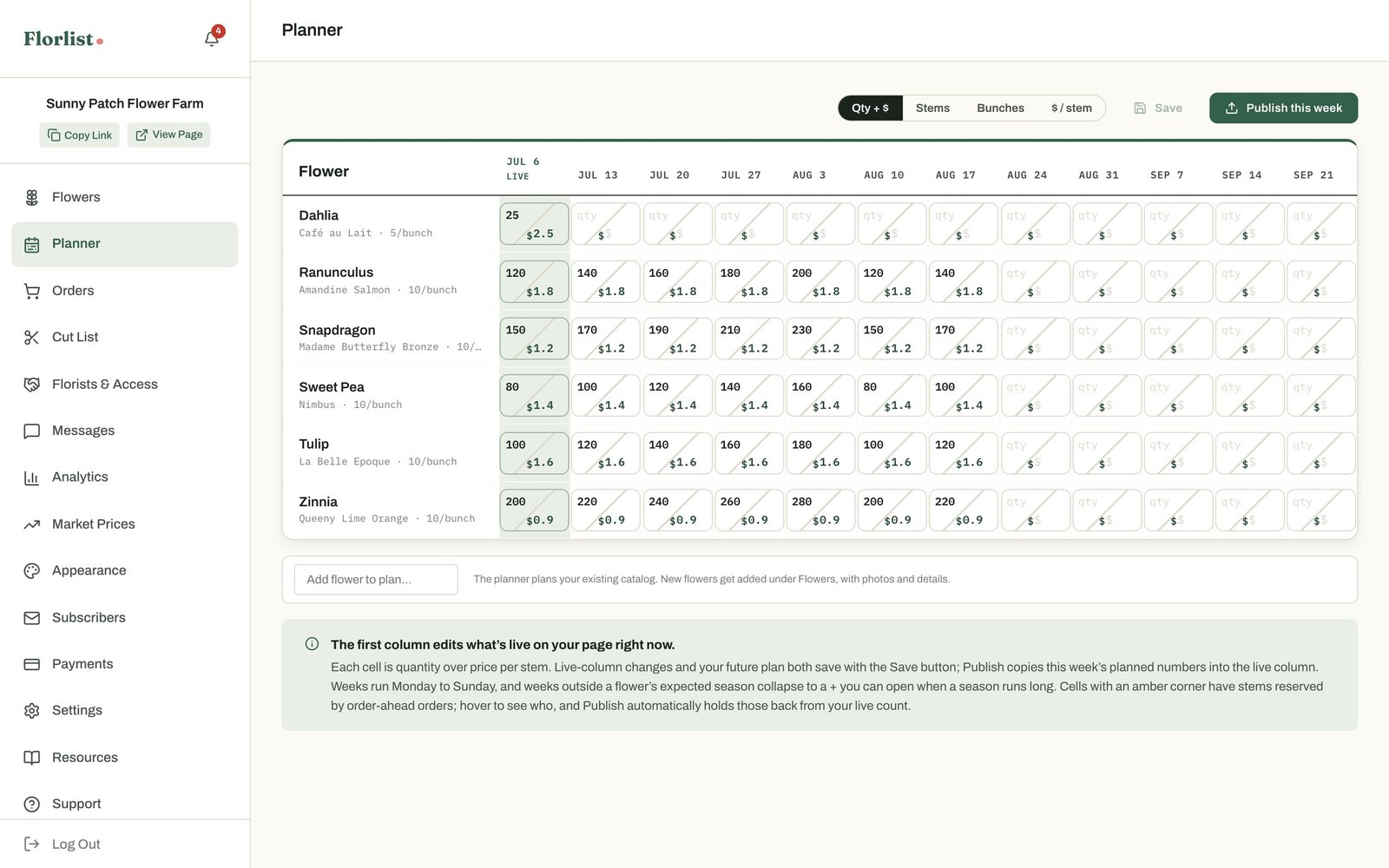
The new Planner is a spreadsheet-style view of your whole season — each flower is a row, each week is a column, and you fill in expected stems and pricing as your succession plantings come online. Florists see upcoming weeks on your page (clearly marked as the grower’s plan), and with order-ahead enabled they can preorder against a future week — reserving stems from your July plan in April, at the price you set for that week.
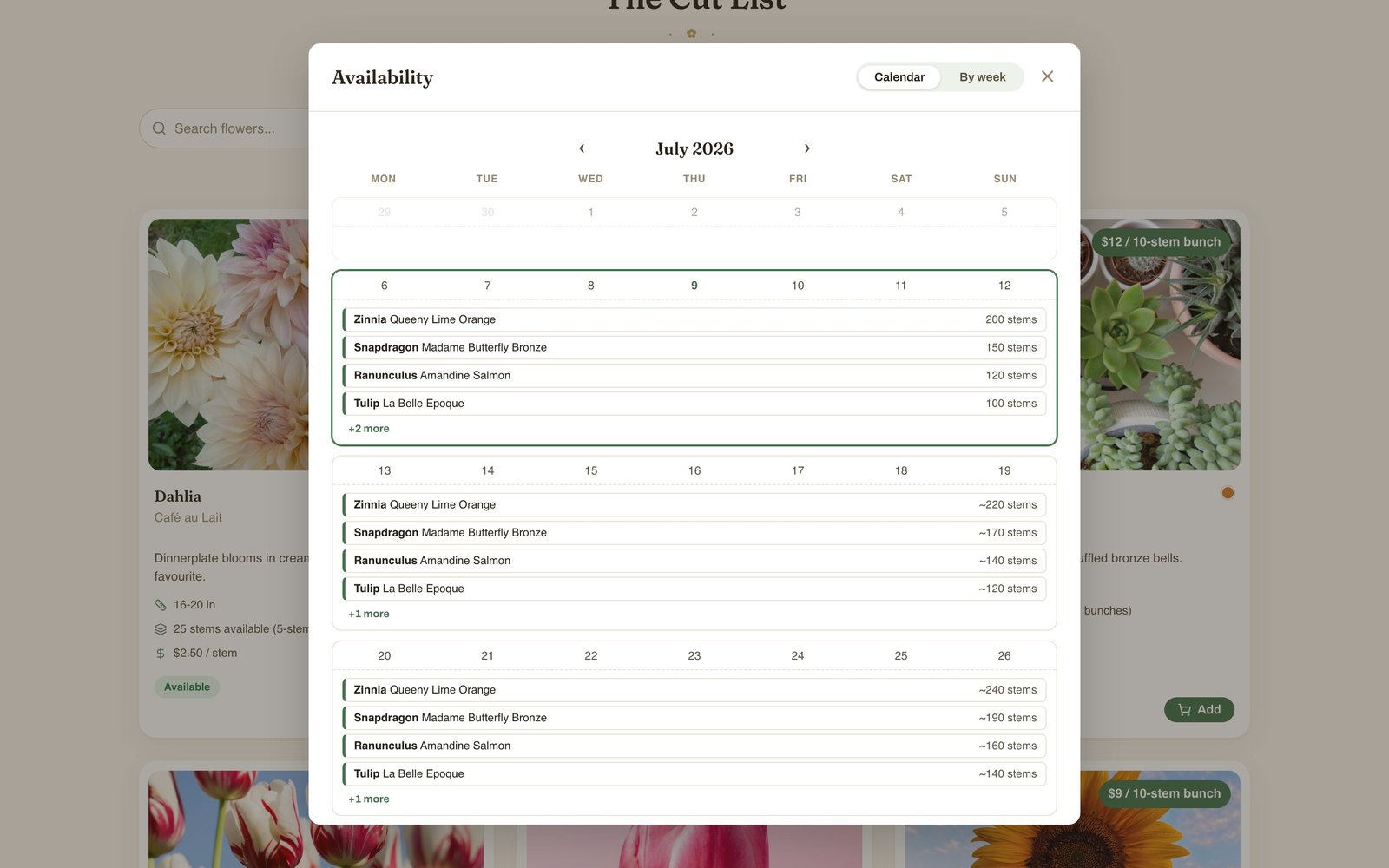
The availability calendar gives florists the month-at-a-glance view they asked for — live counts this week, planned counts ahead.
Orders, invoices, and payments — your way
When an order lands, you get an email immediately (replying to it messages the buyer right back — the whole conversation can happen from your inbox). From the dashboard you can adjust quantities, add fees or discounts, leave internal notes, message the florist, and generate a branded invoice in one click.
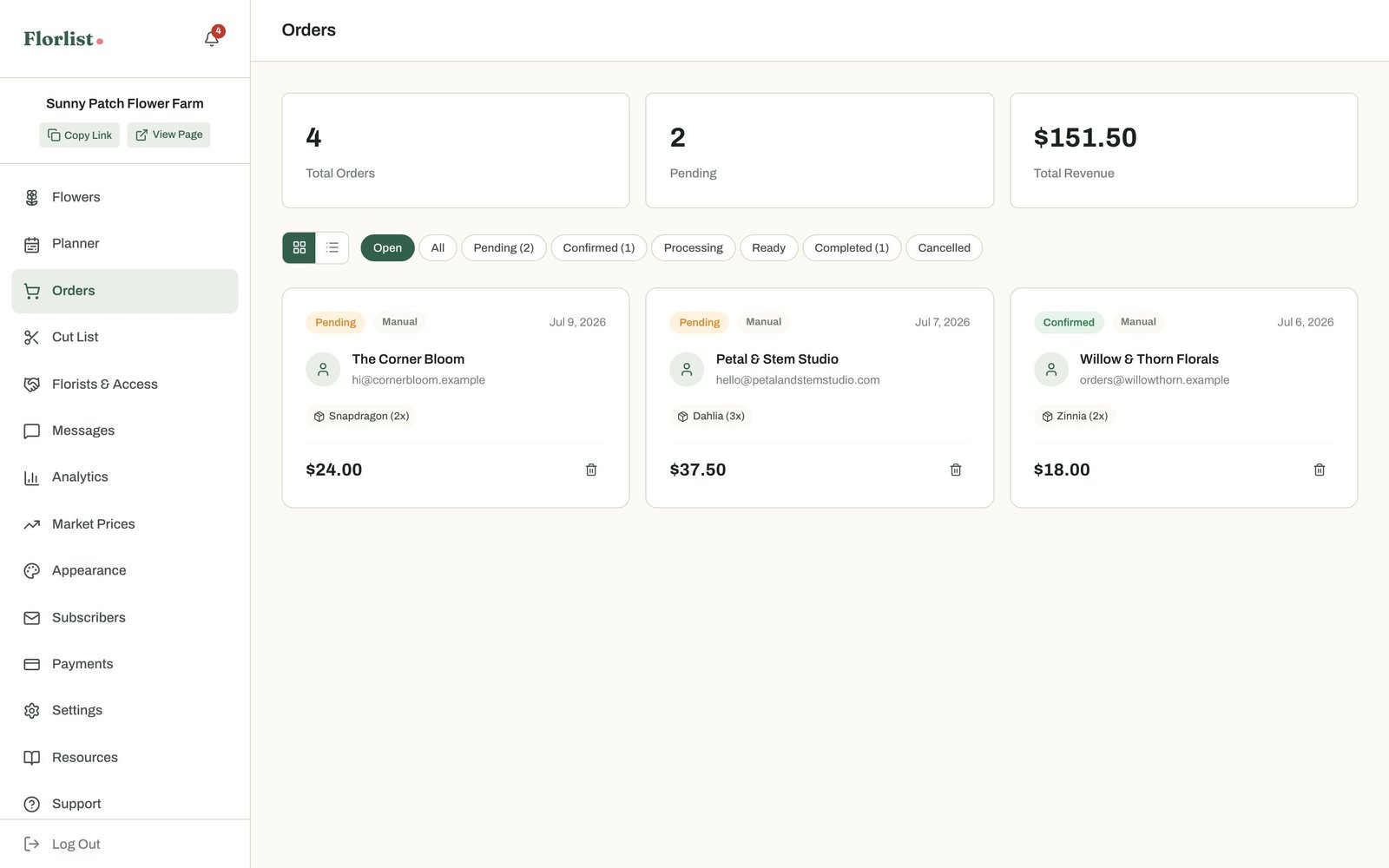
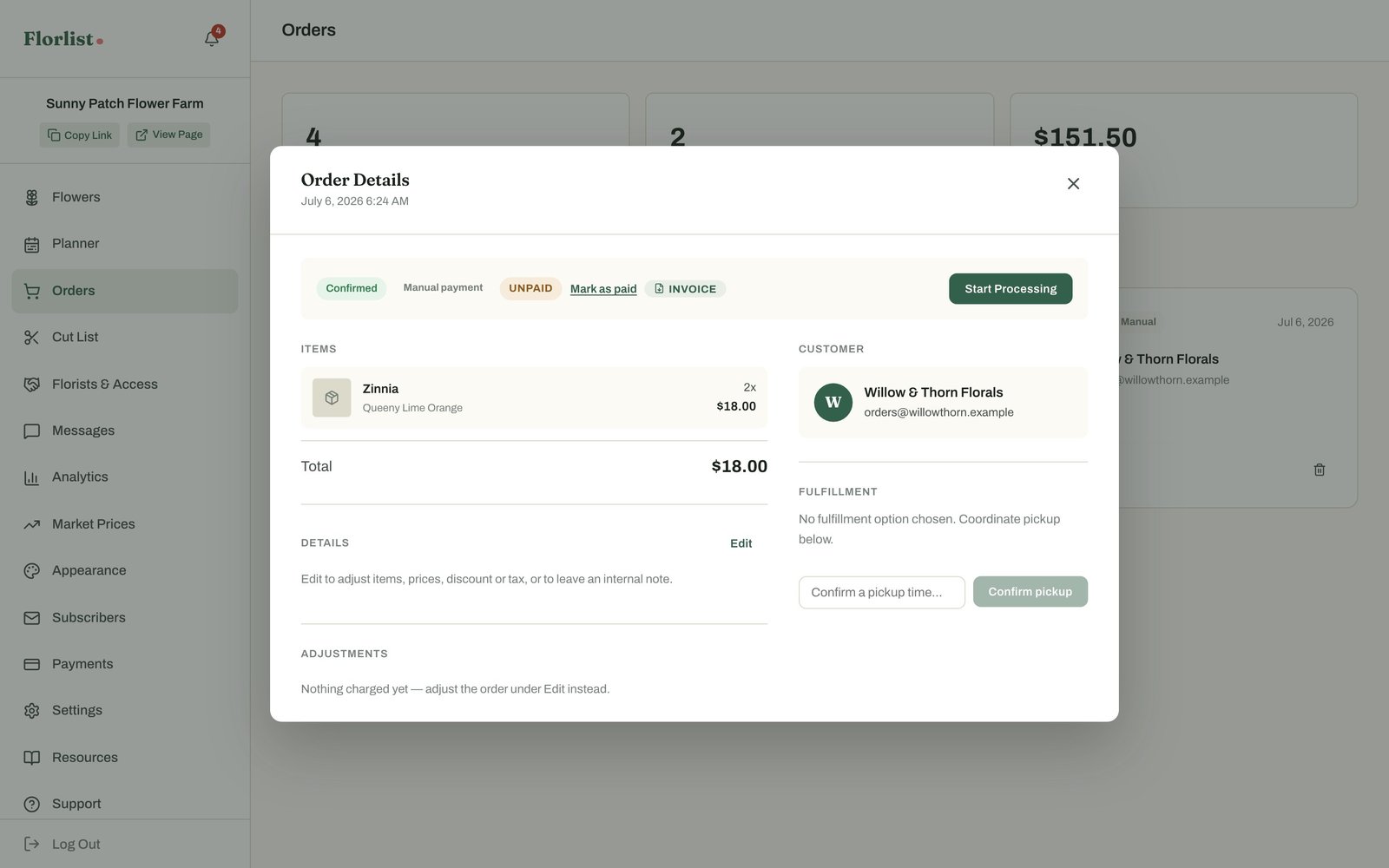
Payments are your choice. Handle them yourself — transfer, cash, cheque — with zero fees and simple paid/unpaid tracking. Or connect your own Stripe account and let florists pay by card at checkout; the card is charged only when you confirm the order, and you pay only Stripe’s standard processing rates plus 4% that Florlist adds on top. (Compare that to marketplace platforms charging a monthly subscription plus a fee for offline sales and an even higher percentage for every sale.)
Analytics that actually inform planting decisions
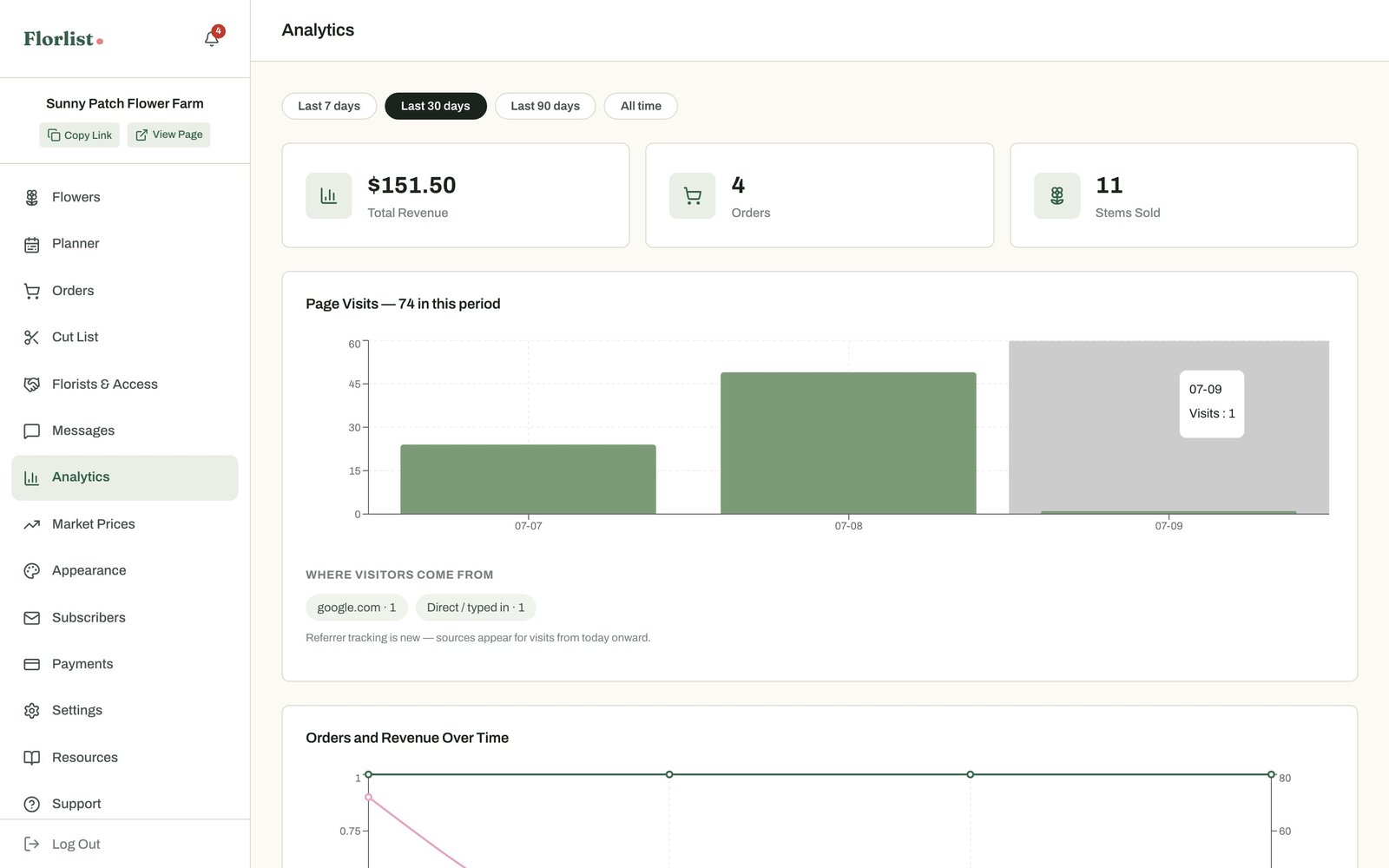
The Analytics tab has grown up: revenue, orders, and stems over time; sales broken down by flower, variety, and colour; your top customers; even when orders come in. New this season: page traffic with referral sources — see how many florists are visiting your page and whether they came from Google, Instagram, or the Florlist map.
Market Prices: know what stems actually sell for
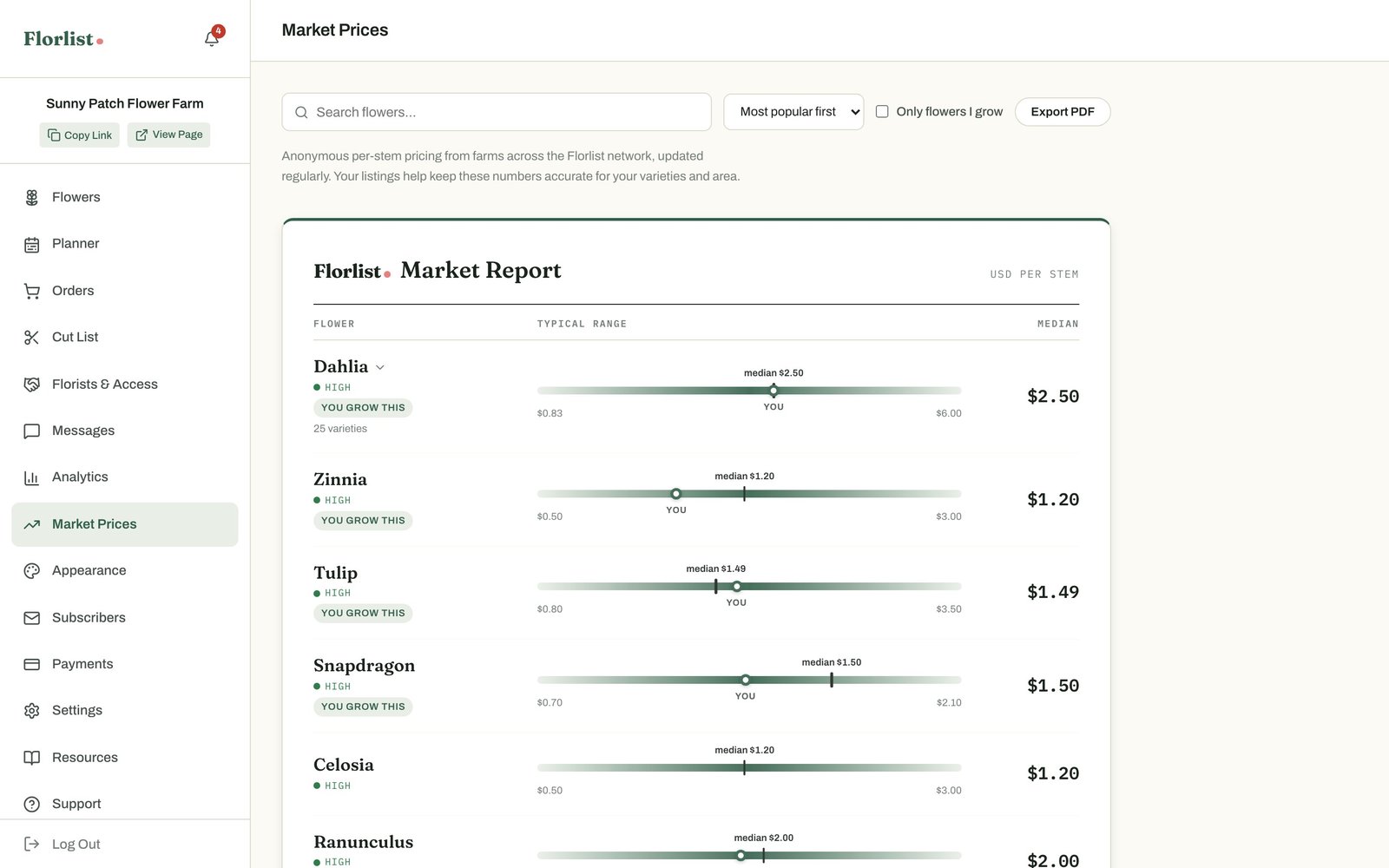
A brand-new feature we’re especially proud of. The Florlist Market Report shows real per-stem price ranges — minimum, median, and maximum — for the flowers farms actually sell on Florlist, aggregated anonymously across hundreds of farms. It works as an exchange: share your (anonymous) prices and you see everyone else’s. No more pricing your dahlias by guesswork.
Get discovered: the map and the farm directory
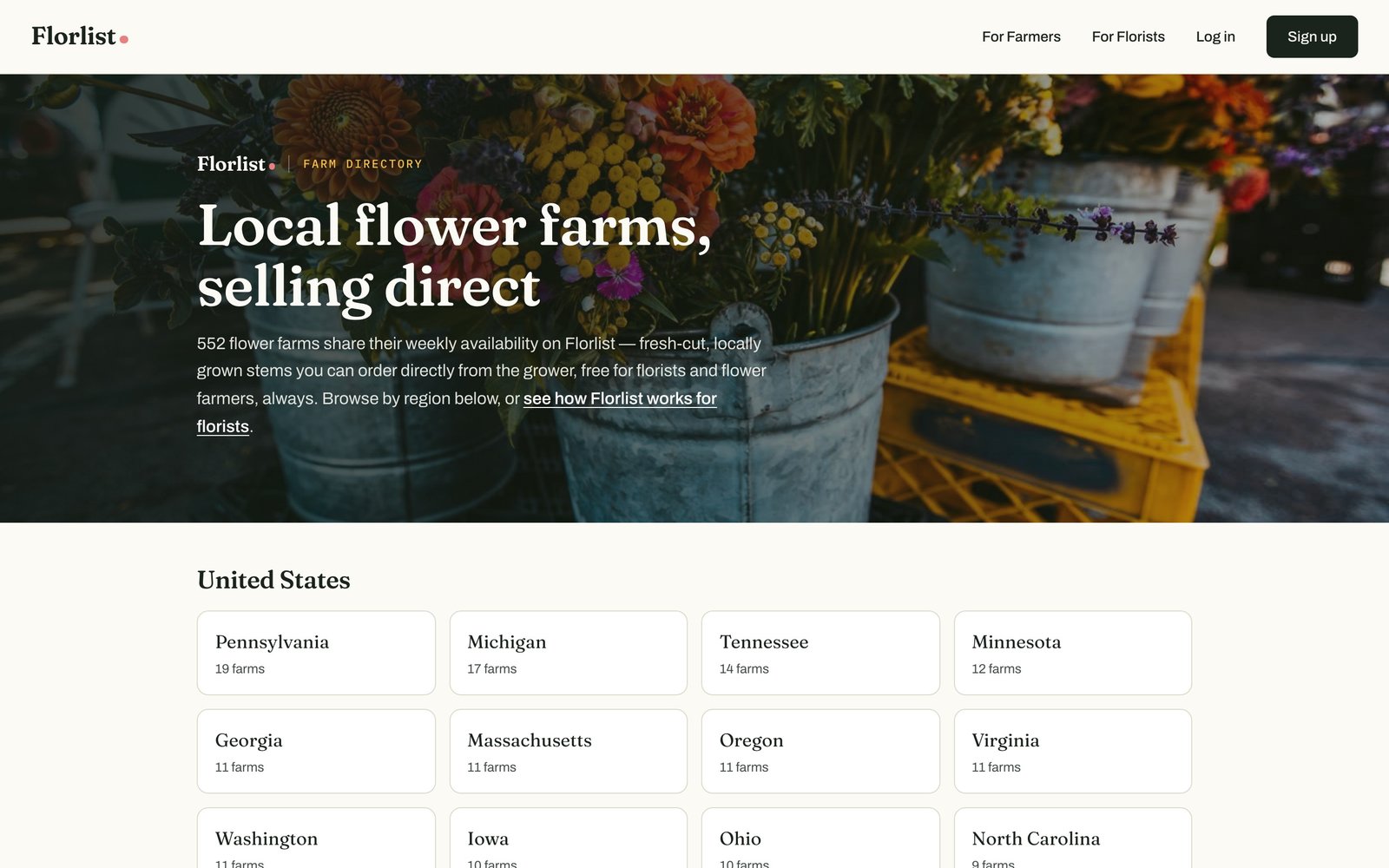
Your farm isn’t just a page anymore — it’s a pin. Florists browse a live map of farms near them, and the public farm directory organizes every farm by region, so a florist googling “flower farms in Ontario” finds Florlist farms — and maybe yours. New farms are reviewed and listed automatically, and you’ll get an email the moment your farm goes live.
There’s a matching florist directory celebrating the shops that buy local — several hundred florists strong and growing.
The little improvements add up, too
- Import your whole catalog in minutes — paste your existing spreadsheet in any format and the intelligent import reads it, builds your listings, and shows you a full preview before anything is created.
- Email marketing built in — send themed availability updates to your subscriber list, or turn on the automatic Monday digest and let it run itself.
- Wholesale access controls — approve florists individually, set per-florist pricing adjustments and order minimums for your VIPs.
- Verified reviews — only florists who completed an order can review, so every review on your page means something.
- Florlist How-Tos and University — step-by-step picture guides and a free 20-minute course covering the whole platform.
- A public status page with live system checks — because your storefront should be something you can rely on.
Still free. Actually free.
No subscription. No percentage of your sales. No credit card to sign up. Manual payments are fee-free forever, and card payments cost only Stripe’s own processing rates. Florlist makes money from optional extras (like integrated card payments and optional AI features), not by taxing your flowers.
Create your storefront
If you’re still emailing spreadsheets on Sunday nights, this is your sign. Setup takes about ten minutes: add a few flowers, pick a theme, share your link.